Available for work · Athens, Greece

Good design
is only half.
I do the half
that ships.

I design it and then I build it. Nothing exposes a bad design decision faster than having to write the code for it.

scroll

Featured Project

Design + Development
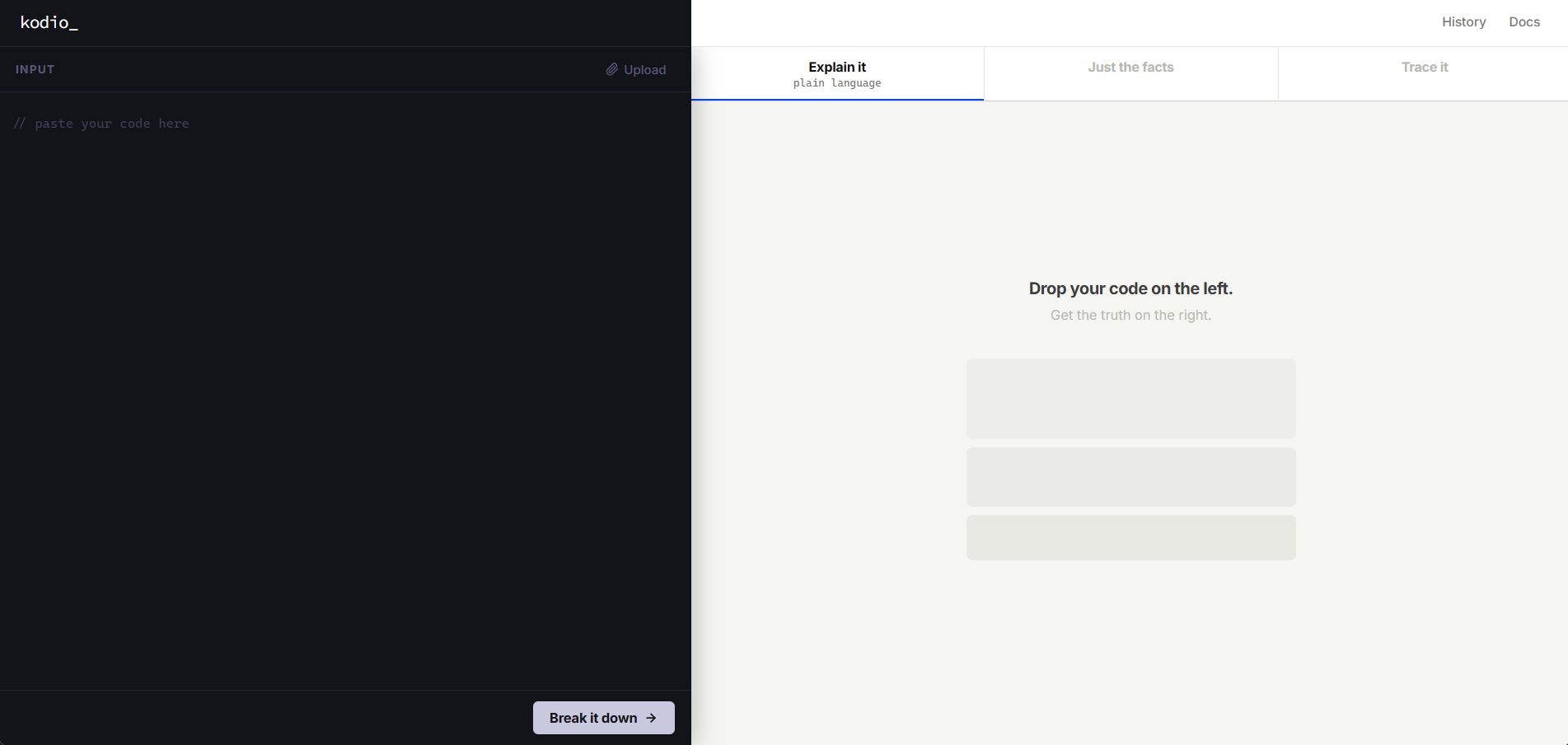
kodio — code reading tool

kodio

A code reading tool designed for two very different users — someone learning to code for the first time, and a developer reviewing unfamiliar work. One tool, two completely different mental models.

Most code explanation tools either talk down to beginners or bury experienced developers in noise. kodio separates those two needs into distinct modes — same content, different voice — so neither user has to fight the interface.

Key Design Decisions

  • Two-mode reading system — "Explain it" uses plain analogies with no assumed knowledge. "Just the facts" strips everything to signal only. The toggle isn't a preference setting — it's a fundamentally different reading experience for a different person
  • Directional layout — code sits left, analysis right. The user's eye moves left to right: from complexity toward clarity. The visual weight of the dark/light split makes that direction feel physical
  • Line-level connection — hovering any insight highlights the exact lines it refers to. Removes the "but where in the code?" friction that makes analysis tools feel disconnected from the thing they're analysing
  • Trace mode as execution, not a list — steps reveal one by one, mirroring how code actually runs. Designed to feel like watching something happen rather than reading a report

A Path I Rejected

  • The first version used a single output panel with a toggle that swapped content in place. I abandoned it after noticing the two modes need fundamentally different amounts of space — "Explain it" requires breathing room for analogies to land; "Just the facts" works precisely because it's dense. A shared panel made each mode a compromise. The split layout was more work to build, but it was the only honest solution.

What I'd Improve

  • The line-level highlighting — the feature I was most confident about — works cleanly with short functions. With anything over 60–70 lines, highlighted regions start to overlap and the connection between insight and code becomes harder to follow, not easier. I haven't solved this yet.
  • The "Explain it" copy was written by assumption — I'd validate it with real non-coders through usability testing
  • No onboarding moment — a first-time user has no signal for what to paste or what to expect
  • The empty state communicates format but not value — it should answer "why would I use this?" before asking for input

Case Studies

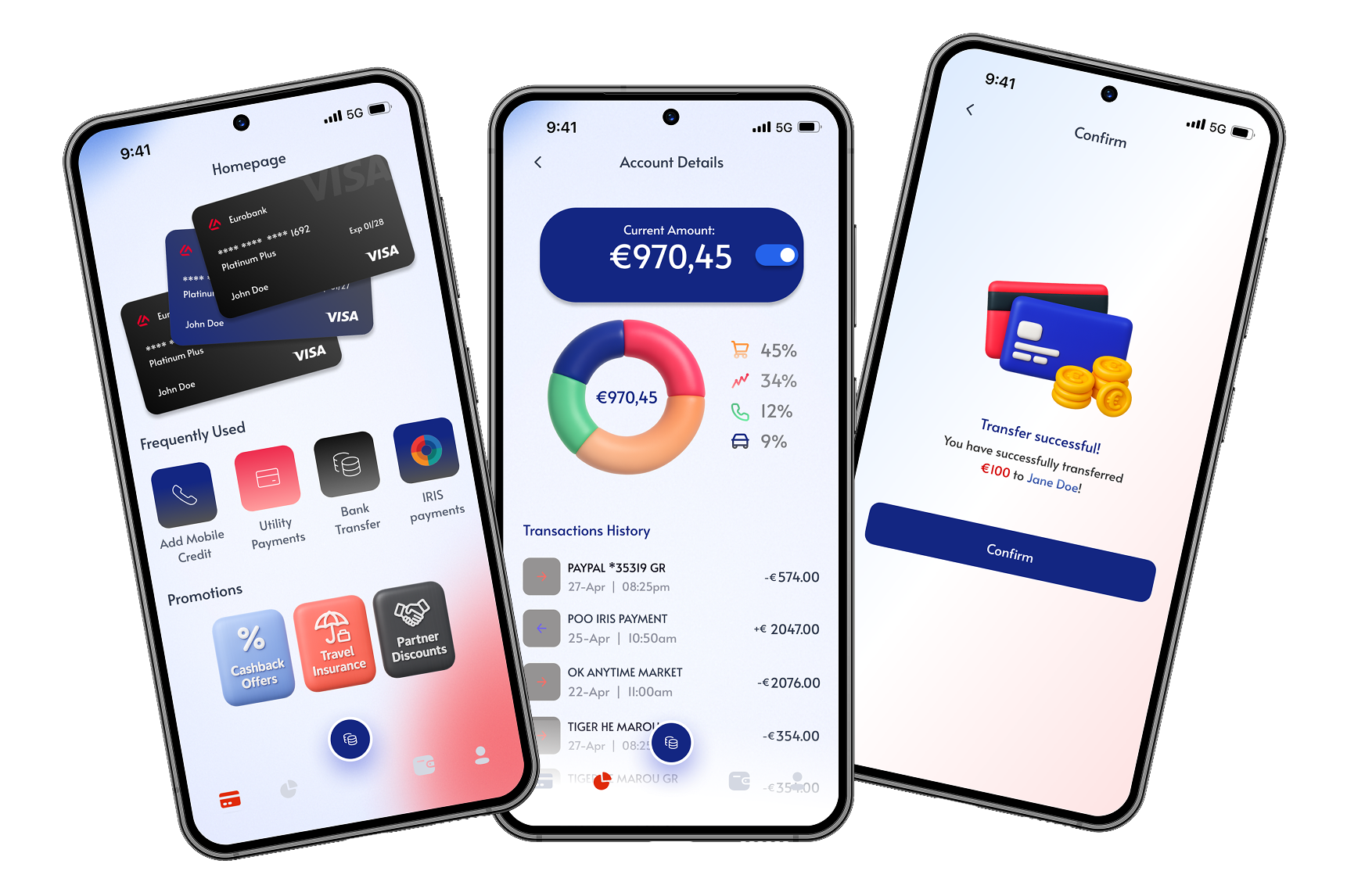
Mobile Banking Redesign
Mobile · Banking · UX Research

Mobile Banking Experience Redesign

Five taps to check your balance. I traced every dead end in the flow before opening a single frame.

Read Case Study →
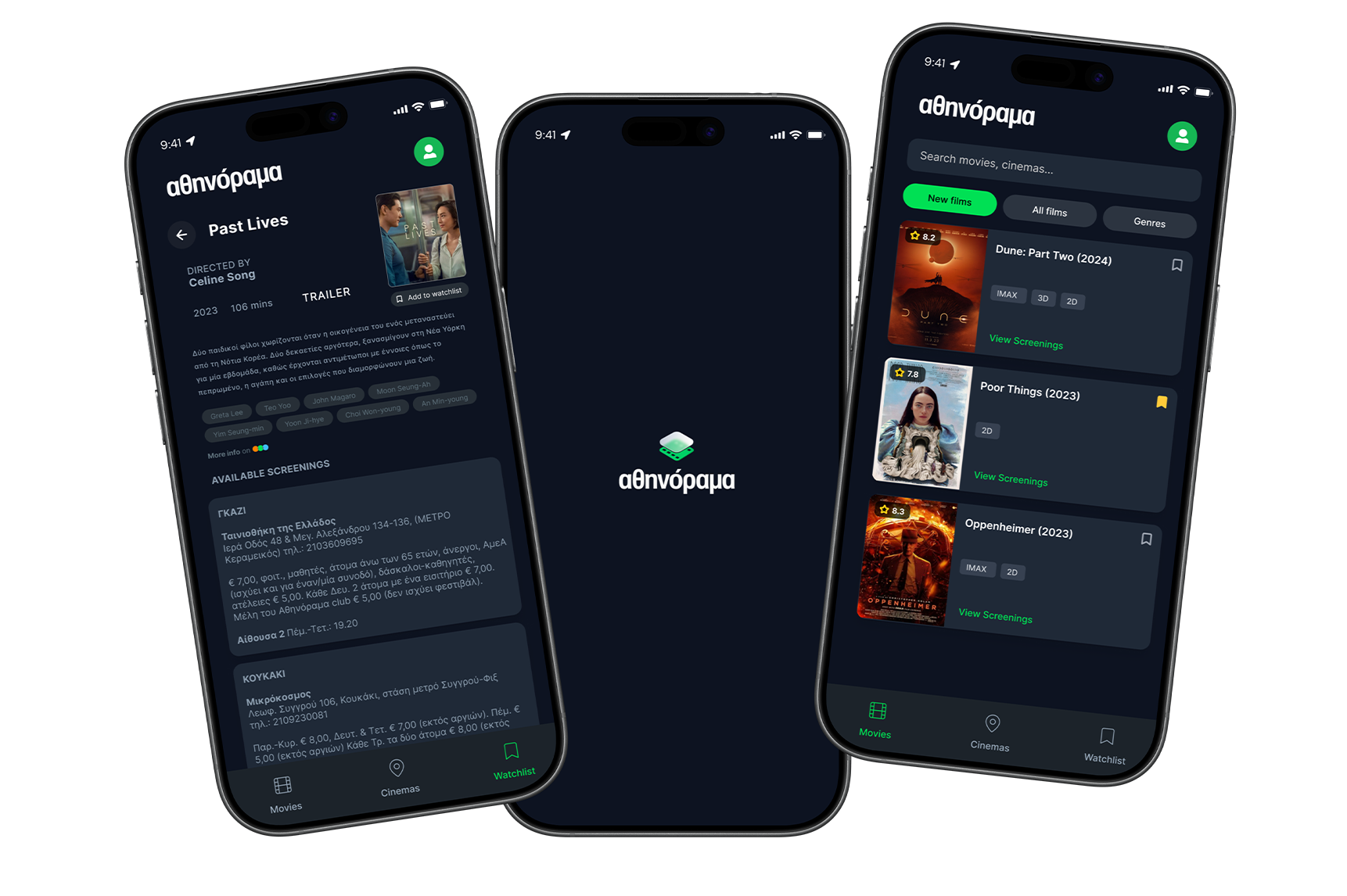
Cinema Discovery Redesign
Mobile · Entertainment · UX Research

Cinema Discovery Redesign

The app had every showtime in Athens. Finding one took longer than just Googling it.

Read Case Study →

Approach

01

Map confusion
before opening Figma

I trace where users actually stall. Most redesigns fail because they address symptoms, not the structure underneath them.

02

Design with
the build in mind

I annotate decisions, flag constraints, and write specs as part of the design process — not an afterthought. Work that doesn't survive development isn't finished.

03

Break it before
someone else does

I test rough prototypes early, specifically looking for the moment a user stops reading and starts guessing. That moment almost always appears earlier in the flow than expected — and it's usually a structural problem, not a visual one.

About

My first instinct with any flow is to find where it starts asking too much of the person using it. Not "how do we make this look better" — "why does this step exist at all." I design in Figma and build in code, which means the handoff is my problem from the start. Most of what I ship looks simpler than the first version. That's usually the point.

Based in

Athens, Greece

Focus

UI/UX Design

Tools & Skills

Figma HTML CSS JavaScript Prototyping

Open to

Freelance · Remote · Hybrid